

Have you ever wondered whether to say install in a computer or install on a computer? You’re not alone. These two expressions can seem interchangeable, especially when you’re talking about software, apps, computer parts, or technical instructions.
The good news is that the difference becomes much easier once you understand what each preposition describes. In everyday English, you usually install software on a device, but you install a physical component in a device when it goes inside. However, folders, directories, websites, and development environments introduce a few important exceptions.
For example, you might install a game on your laptop, install an SSD in your desktop computer, and install the game’s files in a specific folder. Each sentence uses a different preposition because each one describes a different relationship.
This guide explains the difference between install in and install on with practical examples, comparison tables, real-world scenarios, and answers to common questions. By the end, you’ll know which expression sounds natural and why.
Install In vs. Install On: What’s the Difference?
The main difference between install in and install on comes down to the relationship between the item you’re installing and its destination.
Install on usually identifies the device, platform, or system that receives software. Install in often identifies an interior space, folder, directory, or software environment where something is placed.
Consider these examples:
- Correct: I installed a photo-editing app on my phone.
- Correct: I installed a new SSD in my desktop computer.
- Correct: I installed the configuration files in the application folder.
All three sentences use install, but the prepositions serve different purposes.
In the first sentence, on my phone identifies the device where the app will run. In the second, in my desktop computer describes the SSD’s physical placement. In the third, in the application folder identifies the location of the files.
Here’s a quick comparison:
| Expression | Typical meaning | Example |
| Install on | Put software on a device or platform | Install the app on your tablet. |
| Install in | Place a physical component inside something | Install the SSD in the computer. |
| Install in | Put files inside a folder or directory | Install the files in the program folder. |
| Install on | Attach or mount something onto a surface | Install the camera on the wall. |
These are common patterns rather than absolute rules. The best preposition depends on what you’re installing and what you want to emphasize.
Why the Difference Matters
Choosing the right preposition makes your instructions clearer and your English more natural. This matters when you’re writing technical documentation, explaining a computer problem, or giving someone directions.
For instance, imagine telling a friend, “I installed the program in my laptop.” Your friend will probably understand what you mean, but the sentence sounds less natural in standard everyday English.
A better choice is “I installed the program on my laptop.”
Now consider the sentence “I installed a new memory module in my laptop.” Here, in makes sense because you’re describing a physical component placed inside the machine.
The distinction isn’t about memorizing which preposition belongs to technology. It’s about understanding the relationship between an object and its destination.
What Does “Install In” Mean?
The phrase install in generally describes placing something within a physical space or a defined environment. That space might be inside a computer case, within a storage compartment, or inside a software directory.
The word in emphasizes the location of the item. It answers a question such as “Where exactly did you put it?”
For example:
- Install the new battery in the device.
- Install the RAM module in the appropriate slot.
- Install the files in the application directory.
- Install the package in a Python virtual environment.
Notice that these examples involve different kinds of destinations. Some are physical spaces, while others are digital environments.
When to Use “Install In” for Hardware
Use in when you want to describe a component’s placement inside a larger device or structure.
Computers contain many parts that fit into cases, sockets, bays, or slots. When you install one of these components, in often communicates the physical relationship clearly.
Examples of installing hardware in a device:
- I installed a new SSD in my desktop computer.
- The technician installed additional RAM in the laptop.
- She installed a replacement battery in the device.
- We installed a wireless network card in the computer.
- He installed a new power supply in the PC case.
In each sentence, the component goes inside the machine or into a designated internal location.
However, the exact wording can change with the component’s position. For example, you might install a processor in a motherboard socket but mount a monitor on a wall.
The important point is that in describes an interior location, not simply the fact that something is hardware.
Hardware Examples: Install In vs. Install On
| Situation | Natural wording | Why it works |
| Adding an SSD to a desktop | Install an SSD in the computer. | The drive goes inside the computer. |
| Adding RAM | Install RAM in the memory slot. | The module fits into a designated slot. |
| Replacing a laptop battery | Install the battery in the laptop. | The battery occupies an internal compartment. |
| Mounting a monitor | Install the monitor on the wall. | The wall supports the monitor. |
| Attaching a security camera | Install the camera on the ceiling. | The camera mounts onto a surface. |
Some devices have external components, so don’t assume that every hardware installation requires in. Focus on where the component goes.
When to Use “Install In” for Software, Folders, and Directories
Software creates a different situation because digital environments don’t have physical interiors in the ordinary sense. Nevertheless, English speakers use in to describe files and programs placed within folders, directories, and software environments.
For example, a computer program may run on your laptop while its files reside in a particular installation directory.
You could say:
- Install the application files in the program folder.
- Save the configuration file in the installation directory.
- Install the Python package in your virtual environment.
- Install the plugin in the WordPress installation.
- Place the downloaded files in the designated folder.
These sentences focus on the software’s location or environment rather than simply naming the device that runs it.
Here’s an important distinction: You might install an application on your computer and install its configuration files in a folder on that computer. Both expressions can be correct in the same situation.
For example:
“I installed the application on my laptop and placed its configuration files in the application directory.”
The first prepositional phrase identifies the device. The second identifies a specific location within the software’s file structure.
Is “Install In a Computer” Correct?
It depends on what you’re describing.
If you’re talking about ordinary software, install on a computer is generally the more natural expression.
- Less natural: I installed a browser in my computer.
- More natural: I installed a browser on my computer.
However, if you’re discussing a physical component that goes inside the machine, in is appropriate.
- Natural: I installed a new SSD in my computer.
- Natural: I installed additional memory in my computer.
The phrase in a computer can also appear in technical descriptions of files or internal system structures. Still, when you mean that a program is available for use on a computer, choose on.
What Does “Install On” Mean?
The phrase install on commonly identifies the device or platform that receives software. It’s the standard choice for talking about applications, games, utilities, and operating-system updates.
For example, you might install a messaging app on your phone, a browser on your laptop, or accounting software on a company server.
In these cases, on identifies the system where the software is installed or made available.
When to Use “Install On” for Software
Use on when the main point is the device or computing platform where the software will run.
Common examples include:
- Install the application on your computer.
- Install the latest update on your phone.
- Install the game on your gaming PC.
- Install the browser on your tablet.
- Install the security software on the company server.
- Install the desktop application on Windows.
This pattern appears in everyday conversations and technical instructions because it provides a straightforward way to describe software installation.
For example, a support technician might tell a customer, “Install the latest version of the application on your computer.”
The sentence doesn’t specify where the application’s files will reside. It simply identifies the device receiving the installation.
That’s why on works so well in this context.
Common Examples of “Install On” in Everyday English
The phrase appears across many situations, from casual conversations to workplace instructions.
| Context | Example sentence |
| Smartphones | I installed the app on my iPhone. |
| Tablets | You can install the reading app on your tablet. |
| Laptops | She installed the software on her laptop. |
| Desktop computers | We installed the new browser on every office PC. |
| Gaming | He installed the game on his gaming computer. |
| Work software | The team installed the accounting program on the office computers. |
| Servers | The administrator installed the application on the server. |
| Operating systems | I installed the utility on Windows. |
You can use these examples as models when writing your own sentences.
Compare “I installed the game on my PC” with “I installed the game in my PC.” The first sounds natural when you’re talking about the game as software. The second may suggest physical placement inside the machine, which isn’t what you usually mean.
Can You Use “Install On” for Physical Objects?
Absolutely. The word on isn’t limited to software.
Use it when an object is attached to, mounted on, or positioned on a surface.
Examples include:
- Install the television on the wall.
- Install the camera on the ceiling.
- Install the sensor on the outside of the machine.
- Install the solar panel on the roof.
- Install the monitor on an adjustable arm.
In these examples, on describes the object’s relationship to a surface or mounting point.
This shows why the rule “software goes on, hardware goes in” is helpful but incomplete. Hardware can go on a surface, and software can go in a folder.
A more reliable rule is to consider the destination and the relationship you’re describing.
Install In vs. Install On Across Modern Devices
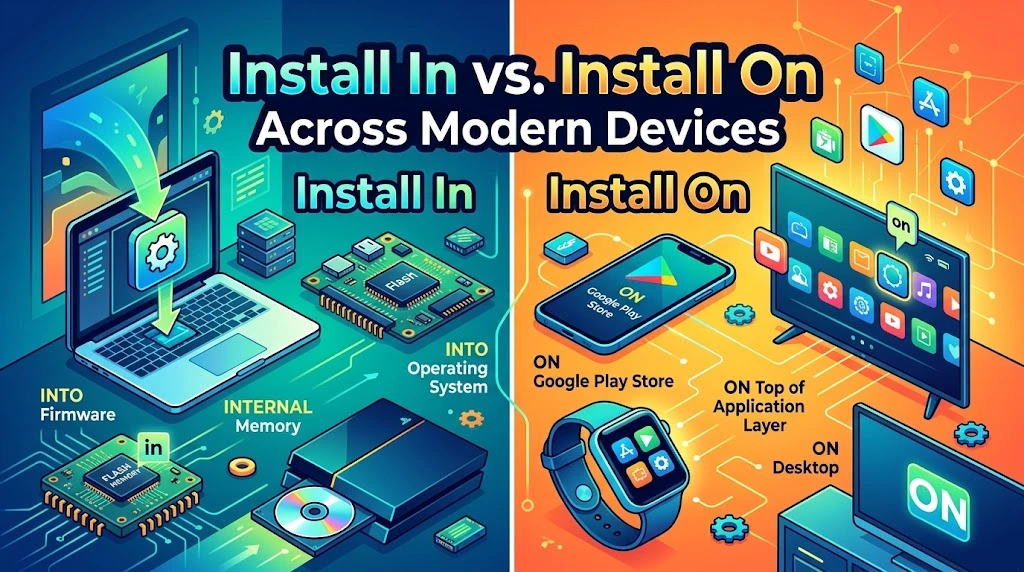
The same basic distinction applies to phones, tablets, laptops, desktops, and servers. However, the details can change depending on the device and the type of installation.
Phones and Tablets
When you’re talking about mobile apps, updates, or utilities, use on.
Examples:
- I installed a banking app on my phone.
- She installed the latest update on her tablet.
- We installed a navigation app on the company phones.
- He installed a password manager on his iPhone.
These sentences identify the device that receives the software.
Use in when describing a physical component located inside the device.
For example:
“The technician installed a replacement battery in the tablet.”
The same principle applies to other internal components, although modern phones and tablets often have tightly integrated designs that make many parts difficult to replace.
If an accessory attaches to the outside of a device, on may be appropriate instead.
Laptops and Desktop Computers
Computers make the distinction especially clear because users regularly discuss both software and internal hardware.
Use on for programs and applications:
- Install the browser on your laptop.
- Install the game on your desktop computer.
- Install the office software on your work PC.
- Install the update on your computer.
Use in for internal components and specific file locations:
- Install a new SSD in your desktop.
- Install the memory module in the appropriate slot.
- Install the configuration files in the application folder.
- Install the package in the project’s virtual environment.
Consider this example:
“I installed a new SSD in my computer and installed the operating system on the SSD.”
Both prepositions work because the sentence describes two different relationships. The SSD goes inside the computer, while the operating system is installed on the storage device.
That distinction is particularly useful when discussing upgrades or troubleshooting.
Websites, Servers, and Development Environments
Software developers frequently use both prepositions because they work with devices, hosting platforms, directories, and application environments.
Consider these examples:
- Install the web application on the server.
- Install the package in the virtual environment.
- Install the plugin in the WordPress installation.
- Install the deployment tool on the development machine.
- Place the configuration file in the project’s directory.
The choice depends on what the sentence identifies.
When you say on the server, you name the computing system that receives the application. When you say in the virtual environment, you identify the environment where a package should be available.
Similarly, WordPress users often say they installed a plugin in WordPress because the plugin becomes part of the website’s WordPress environment. They may also say they installed the plugin on their WordPress site. Both can be natural, depending on the intended emphasis.
For technical instructions, be as specific as possible. If a package must go into a particular environment or a file must go into a particular directory, name that destination clearly.
Why “Install On” Is the Standard Choice for Software
English speakers commonly use on when describing software installed on computers and other devices. This is an established usage pattern in everyday English and technical communication.
You might install a program on a laptop, an app on a phone, or a utility on a server. In each case, the device or platform is the destination for the software.
Why does this wording feel natural?
First, on a computer is a familiar way to describe software availability. People routinely discuss programs running on computers, services running on servers, and applications running on mobile devices.
Second, the phrase keeps the focus on the system receiving the software rather than the location of individual files.
Third, in a computer often suggests that something is physically inside the machine. That’s useful for hardware, but it can sound awkward when you’re discussing a program as a whole.
Compare these sentences:
- Natural: I installed the photo editor on my computer.
- Natural: I installed the photo editor’s files in the program directory.
- Natural: I installed a new storage drive in my computer.
Each sentence communicates a different detail without forcing one preposition into every situation.
It’s also worth separating everyday usage from technical precision. A developer might describe software as being installed in a container or within a virtual environment. Those expressions are perfectly reasonable because they identify a specific software environment.
The goal isn’t to eliminate in from software-related writing. It’s to choose the preposition that communicates your intended meaning most clearly.
Quick Decision Guide: Install In or Install On?
If you’re unsure which expression to use, start by identifying the thing you’re installing and its destination.
Use this table as a practical reference.
| What are you installing? | Recommended expression | Example |
| A mobile app | Install on | Install the app on your phone. |
| A computer program | Install on | Install the program on your laptop. |
| A video game | Install on | Install the game on your PC. |
| An operating-system update | Install on | Install the update on your computer. |
| An SSD inside a desktop | Install in | Install the SSD in the computer. |
| RAM in a memory slot | Install in | Install the module in the slot. |
| Files in a folder | Install in | Install the files in the application folder. |
| A package in a virtual environment | Install in | Install the package in the virtual environment. |
| A camera mounted on a wall | Install on | Install the camera on the wall. |
| An application deployed to a server | Install on | Install the application on the server. |
| A WordPress plugin | Install in or on | Install the plugin in WordPress or on your WordPress site. |
A Simple Three-Step Test
When the right preposition isn’t obvious, ask yourself these questions.
Are you naming the device that receives software?
Use on in most everyday contexts.
Example: “I installed the video editor on my laptop.”
Are you describing a physical component going inside something?
Use in when it accurately describes the placement.
Example: “I installed a new SSD in my laptop.”
Are you identifying a specific folder, directory, or software environment?
Use in when the sentence focuses on that internal location.
Example: “I installed the package in the project’s virtual environment.”
If none of these situations fits neatly, consider the actual relationship between the item and its destination. English prepositions depend on context, so a little extra precision can make a sentence much clearer.
Read More : HMJ Meaning in Text: What Does HMJ Mean in Chat and Social Media?
Real-World Case Studies: Install In vs. Install On
The easiest way to understand the distinction is to see how it works in everyday situations.
Case Study: Installing a Game on a Laptop
Imagine that you download a new game and install it on your laptop.
The natural sentence is:
“I installed the game on my laptop last night.”
Why use on? You’re identifying the laptop as the device where the game is installed and runs.
Now suppose the game installer asks you to choose a destination folder. You select a directory named Games on your computer.
You could explain the process like this:
“I installed the game on my laptop and placed its files in the Games folder.”
The two phrases describe separate details:
- On my laptop: Identifies the device receiving the game.
- In the Games folder: Identifies the location of the game files.
This distinction also helps when you’re troubleshooting storage problems. You might know that a game is installed on your computer but still need to find the folder containing its files.
Case Study: Installing an SSD in a Desktop Computer
Suppose your desktop computer runs out of storage space. You buy a new solid-state drive, open the computer case, and connect the drive.
You could say:
“I installed a new SSD in my desktop computer.”
Here, in describes the physical placement of the storage drive inside the computer.
After installing the drive, you decide to install an operating system on it. Your description changes:
“I installed the operating system on the new SSD.”
Why does the preposition change?
The SSD is a physical component installed inside the computer. The operating system is software installed on the storage device.
The two sentences describe different relationships even though they’re part of the same upgrade.
This example is a useful reminder that the distinction isn’t simply hardware versus software. It also depends on the specific object serving as the destination.
Case Study: Installing a Plugin in WordPress
Suppose you manage a WordPress website and want to add a contact form plugin.
You might say:
“I installed the contact form plugin in WordPress.”
This wording emphasizes the software environment where the plugin becomes available.
You could also say:
“I installed the contact form plugin on my WordPress site.”
That version emphasizes the website receiving the functionality.
Both expressions can work in context. However, if you’re following a technical guide, it’s best to use the wording that matches the guide’s actual instructions.
For example, if the instructions tell you to upload a plugin file to a particular directory, in may be appropriate when describing the file’s location. If you’re simply telling a friend that your website now has a contact form, on my WordPress site is natural.
The lesson is straightforward: identify whether you’re talking about the software environment, the website as a platform, or the location of a file.
Case Study: Installing an App on an iPhone
Imagine that you download a weather app from Apple’s App Store.
The natural sentence is:
“I installed the weather app on my iPhone.”
The preposition on identifies the phone as the device receiving the app.
You wouldn’t normally say “I installed the weather app in my iPhone” because you’re not describing the app as a physical object placed inside the phone.
However, in could appear if you’re discussing a physical part:
“The repair technician installed a replacement component in my iPhone.”
Here, the sentence describes hardware rather than an app.
These examples show why context matters more than memorizing a short slogan.
Common Mistakes to Avoid When Using Install In and Install On
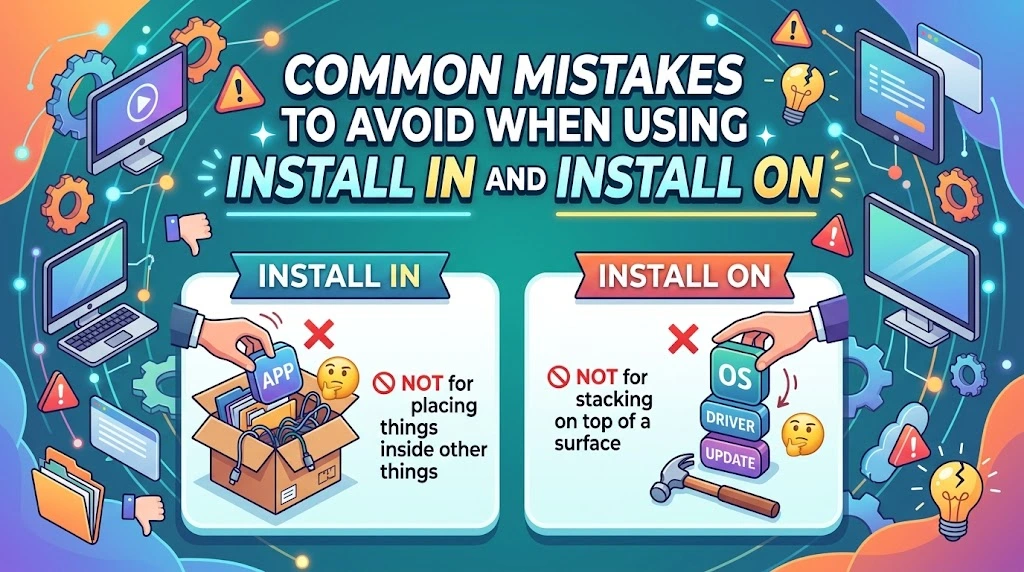
Even experienced English speakers can hesitate over prepositions. Fortunately, most mistakes become easier to spot once you know what the sentence is trying to describe.
Using “In” for Software Installed on a Computer
A common mistake is saying, “I installed the program in my computer.”
In ordinary English, “I installed the program on my computer” is the more natural choice.
Use in if you mean a particular directory or internal environment.
Assuming “On” Only Means a Physical Surface
The word on has several uses in English. It can identify a device or platform as well as a physical surface.
For example, “The application runs on Linux” doesn’t mean that the software rests on a physical surface. It identifies the operating system where the application runs.
Assuming “In” Always Means Physical Hardware
The phrase in a folder refers to a digital location, not a physical container.
Similarly, a software package can be installed in a virtual environment. That wording identifies a defined software environment.
Confusing the Device With the Installation Folder
A device and a folder aren’t the same kind of destination.
You might install an application on your computer but place its files in a particular directory.
For example:
“I installed the application on my PC and saved its configuration files in the application’s folder.”
The sentence uses both prepositions correctly because each one describes a different relationship.
Treating the Rule as Absolute
The shortcut “software on, hardware in” is useful, but it doesn’t cover every possible sentence.
You can install a camera on a wall, install a software package in a virtual environment, or install an application on a server.
When in doubt, look at the destination and the intended meaning. That’s more reliable than applying a rule without considering the context.
Frequently Asked Questions About Install In vs. Install On
What’s the Difference Between Install In and Install On?
Install on usually identifies the device or platform receiving software. Install in often describes a component placed inside a device or something located within a folder or software environment.
For example, you install an app on your phone, a drive in your computer, and files in a folder.
Can I Say “Install In a Computer”?
Yes, when the context supports it. The phrase is natural when describing physical components placed inside a computer, such as a storage drive or memory module.
For ordinary software, however, install on a computer is generally the more natural expression.
Why Do We Say “Install On” for Apps?
English speakers commonly use on to identify the device where an app is installed and runs.
For example, “I installed the app on my tablet” clearly identifies the tablet as the destination.
The phrase follows an established pattern in everyday English and technical communication.
When Is “Install In” the Better Choice?
Use install in when describing something placed inside a physical device or within a specific digital location.
Examples include:
- Install a storage drive in the computer.
- Install the files in the program folder.
- Install the package in the virtual environment.
- Install the plugin in the WordPress environment.
The exact wording depends on the destination and the meaning you want to express.
Is “Install On” Always Correct for Phones?
No. Install on is the standard choice for apps, updates, and software installed on a phone.
However, in may be appropriate for physical components placed inside the phone. You might also use on when describing accessories attached to its exterior.
The preposition depends on what you’re installing.
Should I Say “Install Software On” or “Install Software In” a Computer?
In most everyday situations, say “install software on a computer.”
For example, “I installed the new software on my work computer.”
Use in when you specifically mean a folder or environment, as in “I installed the required files in the application directory.”
Is It “Install On the Website” or “Install In the Website”?
Both may work, depending on context, but they emphasize different things.
“Install the plugin on the website” identifies the website as the platform receiving the plugin.
“Install the plugin in WordPress” emphasizes the software environment. If you’re describing files placed inside a particular directory, in is appropriate for that location.
Choose the expression that best describes the actual installation.
Conclusion: Choose Install In or Install On Based on Context
The difference between install in and install on becomes much simpler when you focus on the relationship between the item and its destination.
Use install on when you’re talking about software placed on a device or platform. For example, you install an app on your phone, a game on your computer, or an application on a server.
Use install in when you’re describing a physical component placed inside a device or files placed within a folder or software environment. You might install an SSD in a computer or install configuration files in an application directory.
Remember that these are practical guidelines, not rigid rules for every possible situation. Hardware can be installed on a surface, and software can be installed in a particular environment.
When you’re unsure, ask yourself one simple question: Am I describing the device that receives the software, or the specific place where something goes?
That small distinction will help you choose the right preposition and write clearer, more natural English.