
Seeing “TTS” in a text, comment, Discord message, or video can leave you wondering what those three letters actually mean.
In most online conversations, TTS means “text-to-speech.” It describes technology that turns written words into spoken audio. Depending on the context, however, someone might use “TTS” to mean the technology itself, a particular synthetic voice, a built-in feature, or even a command that makes text play aloud.
That distinction matters.
For example, when someone says, “This video uses TTS,” they’re probably talking about computer-generated narration. If someone says, “Use TTS in Discord,” they may mean Discord’s text-to-speech feature. Meanwhile, “That TTS voice sounds weird” usually refers to the generated voice rather than the technology as a whole.
TTS has also moved far beyond the old robotic voices many people remember. Modern speech-synthesis systems can produce remarkably natural voices, support many languages, and handle different speaking styles. Microsoft, for example, describes modern neural TTS as technology that converts text into human-like synthesized speech and offers neural and custom voice options.
So, what does TTS mean in text?
Let’s break it down.
What Does TTS Mean in Text?
TTS stands for “text-to-speech.”
In its simplest form, text-to-speech technology takes written language and produces spoken audio.
Think of it as a bridge between your eyes and your ears. You provide the words as text, and software turns those words into something you can hear.
For example:
Text: “Welcome to the channel. Today’s video explains five useful writing tips.”
A TTS system processes that sentence and produces an audio version using a synthetic voice.
When people use TTS meaning in text searches, they often expect a simple abbreviation definition. The answer is straightforward:
TTS = Text-to-Speech.
However, online conversations use the abbreviation more loosely. People might say “TTS” when they mean:
- A text-to-speech feature
- A generated voice
- A text-to-speech application
- A narration method
- A Discord command
- AI-generated speech
- Software that reads written content aloud
The surrounding words usually tell you which meaning applies.
TTS Meaning in a Text Message
If someone sends:
“Can you use TTS for this?”
they probably want written text converted into spoken audio.
If they say:
“That TTS voice is hilarious.”
they’re talking about the voice producing the speech.
And if they say:
“Turn TTS on.”
they’re probably referring to a feature or setting.
That’s why TTS meaning in texting isn’t always about a particular app. The basic meaning stays the same, while the practical use changes.
TTS Meaning in Online Comments and Social Media
On social media, TTS often appears when people discuss videos that use synthetic narration.
A creator might write:
“I made the narration with TTS.”
A viewer might comment:
“What TTS voice is that?”
In both cases, TTS relates to text-to-speech technology, but the first sentence describes the production method while the second refers to the generated voice.
This flexible use has become common because TTS now appears in videos, gaming content, memes, tutorials, accessibility tools, and AI applications.
What Does TTS Stand For?
The abbreviation is simple:
| Abbreviation | Full form | Meaning |
| TTS | Text-to-Speech | Converts written text into spoken audio |
| STT | Speech-to-Text | Converts spoken audio into written text |
| AI voice generation | AI Voice Generation | Uses AI to create or synthesize speech |
| Voice recognition | Voice Recognition | Identifies or interprets spoken input |
The important distinction is direction.
TTS goes from text to speech.
STT goes from speech to text.
You can remember it as:
TTS → Text → Speech
STT → Speech → Text
That small distinction prevents a surprisingly common misunderstanding.
How Text-to-Speech Works
At first glance, TTS seems almost magical. You type a sentence, press a button, and a voice speaks it.
Under the hood, several processes make that possible.
Text Goes Into a TTS System
Everything starts with written input.
That input could be:
- A chat message
- A document
- A video script
- A webpage
- A notification
- An ebook
- A game dialogue line
- An AI-generated response
The system needs to interpret the text before it can produce natural speech.
The System Processes the Text
A TTS engine considers elements such as words, punctuation, sentence structure, pronunciation, and language.
This step matters because written language doesn’t always tell a computer exactly how something should sound.
Consider:
“Dr. Smith lives on St. John St.”
A human reader can use context to interpret abbreviations. A speech system needs rules, linguistic information, or other processing methods to determine an appropriate pronunciation.
Names, acronyms, numbers, symbols, and unusual spellings can create additional challenges.
The System Produces Spoken Audio
After processing the text, the TTS engine synthesizes speech using a selected voice.
Modern systems commonly use neural models to create more natural-sounding speech. Microsoft describes neural TTS as using deep neural networks to produce voices that can approach human recordings in naturalness.
The output can then play through speakers, headphones, a video, an application, or another audio system.
Some TTS services can also save synthesized speech as an audio file rather than simply playing it. Microsoft’s speech documentation, for example, supports synthesized output that can be saved as WAV audio.
TTS Meaning in Texting and Online Chats
The phrase TTS meaning in texting can sound as though TTS is ordinary texting slang. Usually, it isn’t.
TTS is primarily a technology abbreviation.
Still, people use it casually in conversation because the technology has become common enough that the abbreviation feels natural.
TTS as a Feature
When someone says:
“Does this app have TTS?”
they’re asking whether the application can read written content aloud.
A feature like this might appear under settings such as:
- Accessibility
- Audio
- Speech
- Voice
- Text-to-Speech
- Read Aloud
The exact name depends on the platform.
TTS as a Voice
People also use “TTS” to describe the voice itself.
For example:
“Which TTS are you using?”
Technically, the person may be asking which TTS system or voice is being used.
This is similar to how people casually refer to “the microphone” when they actually mean an entire audio setup. Everyday language often compresses technical distinctions.
TTS as a Command
Some platforms let users activate text-to-speech through a command.
Discord provides a well-known example. Its official documentation explains that users can type /tts before a sentence to have the message read aloud. Discord also provides settings that control TTS notifications and playback.
So if someone says:
“Use TTS in this channel.”
the context may point to a specific command rather than a general request to install speech software.
TTS as a Creator Tool
Content creators frequently use TTS to turn written scripts into narration.
A creator can write a script, select a voice, generate the audio, and place that audio over video footage.
This can be useful for:
- Explainer videos
- Tutorials
- Gaming clips
- Short-form videos
- Educational content
- Product demonstrations
- Automated announcements
- Accessibility-focused content
The biggest attraction is simple: you can create spoken narration without recording every sentence yourself.
TTS Meaning Across Different Platforms
The abbreviation TTS generally keeps its core meaning across platforms, but the feature can work very differently.
TTS Meaning on Discord
Discord offers built-in text-to-speech functionality.
Its official documentation says users can type /tts followed by a sentence to have the message read aloud. The resulting voice can vary depending on the system or platform used to access Discord.
Discord also has dedicated accessibility settings for controlling text-to-speech behavior and playback speed. Its current accessibility documentation places these settings under User Settings > App Settings > Accessibility.
That makes TTS meaning on Discord especially straightforward:
It usually refers to Discord’s text-to-speech feature or the /tts command.
For example:
/tts Welcome everyone!
The important point is that Discord’s TTS isn’t necessarily the same experience as a separate AI voice-generation service. The platform determines how its feature works and which system voice is used.
TTS Meaning on TikTok and Short-Form Video
On short-form video platforms, TTS usually refers to synthetic narration.
A creator writes text and converts it into spoken audio. The generated voice then becomes part of the video.
This style became especially recognizable because synthetic narration works well for quick, information-heavy clips.
Instead of appearing on camera and recording:
“Here are three things you didn’t know about this topic…”
a creator can generate the narration from a written script.
That approach is useful, but it isn’t automatically better. A human voice can still provide emotion, personality, humor, and subtle emphasis that some synthetic voices struggle to reproduce.
TTS in Gaming
Gaming creates another major use case.
TTS can read:
- Chat messages
- Notifications
- Game dialogue
- Menus
- Instructions
- Community messages
- Stream interactions
For players who have difficulty reading on-screen text, spoken output can provide an important alternative.
TTS in Messaging and Communication Apps
TTS can also support hands-free communication.
Instead of reading every message visually, a user can listen to selected text.
The exact implementation differs from app to app. Some applications provide dedicated speech features, while others rely on operating-system accessibility services.
TTS in Accessibility, Education, and Everyday Technology
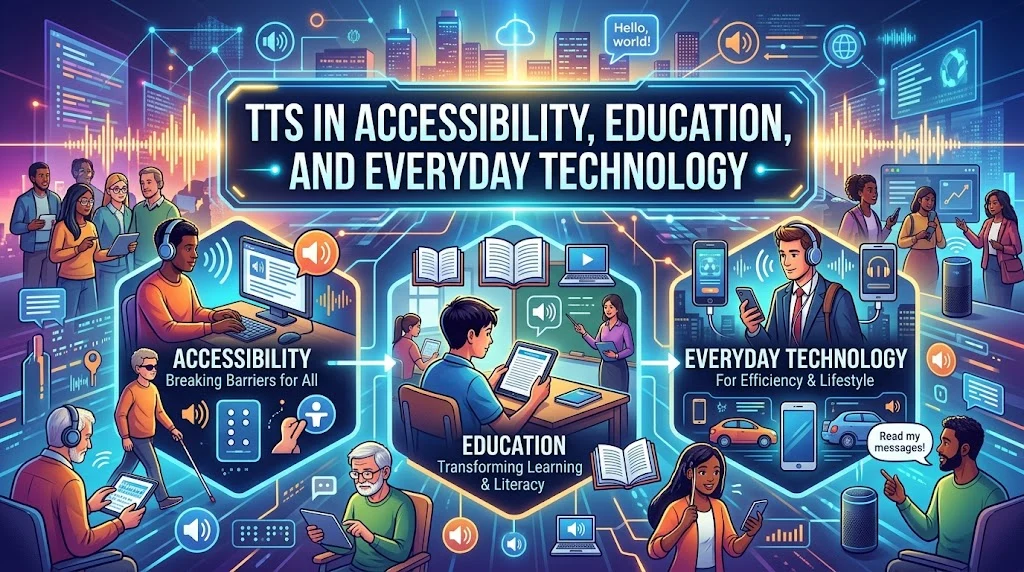
TTS isn’t merely an internet gimmick. Its practical applications are much broader.
TTS for Accessibility
Accessibility is one of the most important reasons text-to-speech exists.
Someone who has difficulty reading text visually may benefit from hearing digital content instead. TTS can therefore provide another way to access written information.
It can be useful for:
- Web content
- Digital documents
- Menus
- Notifications
- Educational materials
- Applications
- Navigation interfaces
Modern operating systems and applications increasingly connect speech technologies with accessibility services.
For example, Android’s accessibility documentation includes TtsSpan, which lets developers provide additional information to improve how certain content is spoken. Android 16 added a duration type so applications can annotate time durations for more accurate and consistent TTS output.
That detail shows something important: good TTS isn’t simply about generating sound. Accurate interpretation of written information matters too.
TTS in Education
Teachers and students can use TTS in several ways.
A student might listen to:
- Digital textbooks
- Study notes
- Articles
- Language exercises
- Written assignments
- Vocabulary lists
Hearing a word can also help language learners connect spelling with pronunciation.
TTS doesn’t replace effective teaching. Instead, it adds another way to interact with written material.
TTS in Workplaces
Businesses can use speech synthesis for:
- Training material
- Automated announcements
- Product demonstrations
- Internal applications
- Customer-facing tools
- Accessibility features
- Voice interfaces
TTS can be particularly useful when the same information needs to appear in multiple formats.
A written guide can remain available as text while a synthesized version provides an audio alternative.
TTS in Entertainment
Entertainment has arguably made TTS more visible to everyday internet users.
Synthetic voices now appear in:
- Memes
- Gaming videos
- Livestreams
- Short-form clips
- Comedy sketches
- Fictional characters
- Internet commentary
- Automated narration
Sometimes the artificial quality becomes part of the joke.
The voice isn’t merely delivering the content. The voice itself becomes part of the content.
TTS and AI: Why Modern Voices Sound More Natural
Older TTS systems often sounded mechanical.
Modern systems can be very different.
Neural TTS systems use deep-learning techniques to model speech patterns and generate more natural-sounding audio. Microsoft’s current documentation describes neural voices as capable of more human-like speech and offers standard neural voices across more than 100 languages and locales.
Modern speech synthesis can account for things such as:
- Rhythm
- Pausing
- Pronunciation
- Intonation
- Voice characteristics
- Language
- Speaking style
Some services also provide controls for voice styles and prosody.
Microsoft’s documentation, for example, describes support for speech synthesis using neural voices and Speech Synthesis Markup Language, or SSML, for greater control over speech output.
Traditional TTS vs. Modern AI TTS
| Feature | Traditional TTS | Modern Neural TTS |
| Voice quality | Often robotic | More natural |
| Prosody | More limited | More expressive |
| Pronunciation | Rule-based in many systems | More context-aware |
| Voice variety | Often limited | Usually much broader |
| Language support | Depends on system | Often extensive |
| Content creation | Useful | Highly useful |
| Customization | Often limited | Can be extensive |
The line between TTS and AI voice generation can also get blurry.
TTS specifically describes converting text into speech. AI voice generation is a broader phrase that can include TTS along with other voice-related technologies.
Common Misunderstandings About TTS
The abbreviation looks simple, but several misconceptions keep popping up.
“TTS Is a Slang Word”
Not usually.
TTS is primarily an abbreviation for text-to-speech.
People may use it casually in messages, but that doesn’t make it conventional slang in the same way as abbreviations such as “LOL” or “BRB.”
“TTS Always Means the Same Thing”
The core concept stays the same, but the practical meaning changes with context.
Compare these:
“Enable TTS.”
“I used TTS for the video.”
“That TTS voice sounds strange.”
All three involve text-to-speech, yet each refers to something slightly different.
“TTS Is Only for Funny Videos”
Definitely not.
Funny videos are simply one highly visible use.
TTS also supports accessibility, education, software interfaces, communication, gaming, workplace tools, and other applications.
“TTS and STT Are the Same”
They’re almost opposites.
TTS converts text into speech.
STT converts speech into text.
A voice assistant may use both technologies. It can use speech-to-text to understand what you say and text-to-speech to answer aloud.
“TTS Always Sounds Robotic”
That description is increasingly outdated.
Older synthetic voices often had obvious mechanical qualities. Modern neural systems can produce much more natural speech. Microsoft specifically describes neural TTS as designed to make computer voices sound close to human recordings.
That doesn’t mean every TTS voice sounds perfect. Quality varies considerably between tools.
TTS vs. STT vs. Voice Recognition vs. AI Voice Generation
These terms overlap enough to confuse beginners.
Here’s the cleanest way to separate them:
| Technology | What it does | Simple example |
| TTS | Text → Speech | A phone reads an article aloud |
| STT | Speech → Text | A phone transcribes your voice |
| Voice Recognition | Identifies or interprets spoken input | A system recognizes a spoken command |
| AI Voice Generation | Creates synthetic speech using AI | An AI produces narration from a script |
Imagine you’re using a voice assistant.
You say:
“What’s the weather tomorrow?”
The system may first use speech recognition or speech-to-text to interpret your words.
It then processes the request.
Finally, TTS can turn the written response back into spoken audio.
So one interaction can involve multiple speech technologies.
How to Understand TTS From Context
When you’re trying to figure out TTS meaning in text, look at the words surrounding the abbreviation.
When Someone Says “Use TTS”
They’re probably asking you to convert written words into spoken audio.
For example:
“Use TTS for the intro.”
That likely means they want synthesized narration.
When Someone Says “That TTS Voice”
They’re probably talking about the generated voice.
For example:
“That TTS voice sounds like a news reporter.”
The person isn’t discussing the underlying technology. They’re commenting on the voice.
When Someone Says “Turn TTS On”
They’re probably referring to a feature or setting.
The exact steps depend on the platform.
When Someone Mentions TTS in a Video
The person usually means synthetic narration.
If a creator says:
“This was made with TTS.”
they’re likely explaining that software generated the voice instead of a person recording the narration.
When Someone Uses TTS in Discord
The context becomes more specific.
Discord has an actual TTS function and /tts command. Its documentation also explains that the voice can differ depending on whether you’re using a browser, Windows, or Mac because the TTS system can depend on the platform.
How to Reply When Someone Uses “TTS”
Understanding the abbreviation is only half the battle. Sometimes you need to know how to respond.
If They Say “Use TTS for This”
A natural response could be:
“Sure. Which voice or TTS tool do you want?”
If the platform already has a default TTS feature, you may not need to ask.
If They Say “That TTS Voice Is Funny”
You can respond naturally:
“Yeah, the robotic delivery makes it even funnier.”
Here, “TTS” refers to the synthetic voice rather than the technical process.
If They Ask “Should I Add TTS to This Video?”
Consider the content first.
TTS may work particularly well when:
- The video needs quick narration.
- The creator doesn’t want to record audio.
- The content is informational.
- Consistent narration matters.
- Accessibility is important.
Human narration may work better when:
- The content depends on emotion.
- Personal connection matters.
- The creator’s personality is central.
- Dramatic timing matters.
- A natural conversational voice is essential.
If It’s a Discord Context
First determine whether the person means Discord’s built-in TTS feature or a separate bot or application.
Discord officially documents /tts as a way to have typed text read aloud. It also provides controls for TTS notifications and playback.
Why TTS Matters Today
TTS has become more important because written and spoken content increasingly overlap.
It Makes Written Content Audible
A webpage, message, document, or script doesn’t have to remain silent.
TTS creates an audio version without requiring a human speaker to record every sentence.
It Supports Accessibility
For some users, listening provides a practical alternative to visually reading digital text.
That’s why TTS appears alongside broader accessibility features rather than existing only as a novelty.
It Speeds Up Content Production
Creators can generate narration quickly, then revise the script without scheduling another recording session.
Change one sentence in the script and regenerate that section.
That flexibility can save substantial production time.
It Supports Hands-Free Use
TTS can make information easier to consume when looking at a screen isn’t convenient.
Examples include listening to:
- Articles
- Instructions
- Messages
- Study material
- Documentation
- Notifications
It Has Become Part of Internet Culture
TTS voices now have their own cultural identity.
Certain voices become recognizable because users encounter them repeatedly in memes, videos, gaming content, and social media.
At that point, the synthetic voice becomes more than a technical feature. It becomes part of the language of online content.
Advantages and Limitations of TTS
TTS is useful, but it isn’t a magic wand.
Advantages of TTS
Fast: Generate speech much faster than recording every line manually.
Consistent: A synthetic voice can maintain a consistent sound throughout a project.
Scalable: Large amounts of written material can be converted into speech.
Accessible: Spoken output can provide another way to consume digital information.
Easy to revise: Changing the source text can be easier than arranging a new recording.
Multilingual: Modern services can support many languages and regional variants. Microsoft currently documents more than 140 languages and variants for its speech-synthesis service.
Limitations of TTS
TTS still has weaknesses.
Pronunciation can go wrong, especially with:
- Unusual names
- Acronyms
- Technical terms
- Foreign words
- Numbers
- Abbreviations
- Intentional misspellings
Voice quality also varies between providers.
One system may sound polished and expressive while another sounds noticeably mechanical.
When Human Narration May Work Better
A human voice still has an advantage when emotion and personality carry the message.
Consider a heartfelt story.
A perfectly clean synthetic voice might pronounce every sentence correctly, yet a human speaker can communicate hesitation, excitement, sarcasm, grief, warmth, or subtle humor through tiny changes in delivery.
Technology keeps improving. Human expression remains difficult to reproduce perfectly.
Real-World Examples of TTS
Example: A TikTok Creator
A creator writes a 300-word script.
Instead of recording the narration, they send the script through a TTS tool. The resulting audio becomes the video’s voice track.
If they change the script later, they can generate a revised version.
Example: A Discord Community
A user types:
/tts Welcome to the server!
Discord’s TTS feature can read the message aloud for users who have the relevant settings enabled.
Here, TTS is both a technology and a platform feature.
Example: Accessibility
A user encounters a long article but prefers listening to the material.
A TTS system converts the written content into spoken audio.
The information remains the same. The delivery method changes.
Example: Workplace Training
A company creates written training material.
Instead of recording a separate voice track manually, the organization can use TTS to generate audio versions.
This can be especially useful when the material changes frequently.
Example: Language Learning
A student studies a new language.
They see a written sentence and listen to its synthesized pronunciation.
That combination can help connect spelling with spoken language.
TTS Meaning vs. Similar Internet Abbreviations
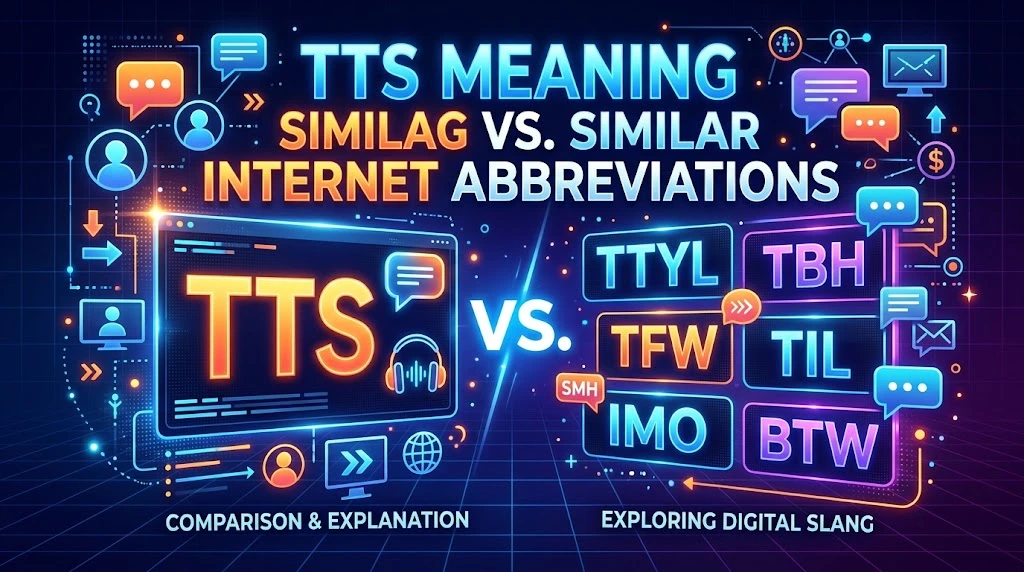
Some abbreviations look similar enough to cause confusion.
TTS vs. TTYL
These mean completely different things.
TTS means text-to-speech.
TTYL means talk to you later.
For example:
“I’ll TTYL.”
means the person will talk to you later.
By contrast:
“Use TTS for this paragraph.”
means they want the text converted into speech.
TTS vs. STT
This is the more important technical distinction.
TTS: Text → Speech
STT: Speech → Text
If you dictate a message and your phone writes it down, you’re using speech-to-text.
If your phone reads that message aloud, you’re using text-to-speech.
TTS vs. Texting Slang
TTS isn’t normally a casual expression like “LOL,” “IDK,” or “BRB.”
It’s an abbreviation for a technology.
People simply use it frequently enough that it appears naturally in online conversations.
Read More : 15+ Other Ways to Say “I Believe in You” (With Examples)
Is TTS Always Appropriate?
Not necessarily.
The best technology depends on the purpose.
TTS can be excellent for quick narration, accessibility, repetitive information, and large volumes of content.
However, a synthetic voice can feel out of place in a personal message or emotional story.
Before using TTS, consider:
- Who will hear it?
- Does the voice fit the content?
- Are names pronounced correctly?
- Does the pacing feel natural?
- Does the audience expect a human voice?
- Is accessibility part of the goal?
- Does the platform require disclosure or have rules about synthetic media?
The voice should serve the content rather than distract from it.
A technically impressive voice can still fail if it doesn’t match the message.
TTS Meaning in Text: Quick Reference Table
| Question | Answer |
| What does TTS mean? | Text-to-Speech |
| What does TTS mean in text? | Usually text-to-speech technology or a TTS feature |
| Is TTS texting slang? | Not usually; it’s mainly a technology abbreviation |
| What does TTS do? | Converts written text into spoken audio |
| What does TTS mean on Discord? | Discord’s text-to-speech feature or /tts command |
| What does TTS mean in videos? | Usually computer-generated narration |
| Is TTS the same as STT? | No. STT converts speech into text |
| Can TTS sound natural? | Yes. Modern neural TTS can produce highly natural speech |
| Is TTS useful for accessibility? | Yes. It can provide spoken access to written digital content |
| Is TTS the same as AI voice generation? | They overlap, but AI voice generation is a broader term |
Frequently Asked Questions About TTS Meaning in Text
What does TTS mean in texting?
TTS usually means “text-to-speech.” In a texting or chat context, it may refer to a feature that reads written messages aloud, a generated voice, or software that converts text into speech.
What does TTS stand for?
TTS stands for Text-to-Speech.
It describes technology that converts written words into spoken audio.
What does TTS mean on TikTok?
On TikTok and similar short-form video platforms, TTS usually refers to synthetic narration created from written text.
A creator writes a script, generates speech with a TTS system, and adds the resulting audio to the video.
What does TTS mean on Discord?
On Discord, TTS refers to text-to-speech functionality. Discord supports a /tts command that can read typed messages aloud. The platform also provides accessibility settings for controlling TTS behavior and playback speed.
Is TTS slang?
Usually, no.
TTS is primarily a technical abbreviation for text-to-speech. People may use it casually in online conversations, but its basic meaning remains technological.
Is TTS the same as STT?
No.
TTS means text-to-speech, while STT means speech-to-text.
TTS turns writing into spoken audio. STT turns spoken audio into writing.
Does TTS mean text-to-speech everywhere?
In technology and online communication, TTS commonly means text-to-speech.
However, context always matters. An abbreviation can have different meanings in specialized fields, so you shouldn’t assume every occurrence has the same definition without checking the surrounding conversation.
Why do people use TTS in videos?
Creators use TTS because it can produce narration quickly without requiring a person to record every line.
It can also provide consistent voice output and make script changes easier.
Is TTS the same as an AI voice?
Not exactly.
TTS is the process of converting text into speech. AI voice generation is a broader term that can include TTS and other methods of creating synthetic speech.
Modern TTS systems often use AI and neural networks, which is why the terms frequently overlap in everyday conversations.
Can TTS sound like a real person?
Yes.
Modern neural TTS can sound highly natural, although quality varies by system, language, voice, and input. Some platforms provide different voice types, languages, and expressive controls.
Is TTS useful for accessibility?
Yes.
TTS can give users another way to access written digital information by converting it into spoken audio. Modern accessibility systems also use additional text information to improve pronunciation and spoken output. Android’s documentation, for example, includes TTS-specific APIs that help services interpret certain types of content accurately.
Can TTS be used for gaming and livestreams?
Yes.
Gaming communities and livestream creators can use TTS for messages, alerts, narration, notifications, and interactive content. The exact features depend on the game, streaming software, platform, or bot being used.
Final Takeaway: What Does TTS Mean in Text?
The simplest answer to “What does TTS mean in text?” is:
TTS means “text-to-speech.”
It refers to technology that converts written words into spoken audio.
However, online users don’t always use the abbreviation in a strictly technical way. Someone might use TTS to describe the technology, a generated voice, a platform feature, a narration method, or a command.
The context tells you which one they mean.
On Discord, TTS can refer specifically to the platform’s text-to-speech feature and /tts command. In videos, it commonly means computer-generated narration. In accessibility, it can provide an alternative way to consume written information. In AI and software development, it can refer to sophisticated speech-synthesis systems capable of producing increasingly natural voices.
The easiest way to remember it is:
TTS turns text into speech.
And that’s the core meaning whether you encounter those three letters in a text message, Discord channel, gaming community, social media video, accessibility tool, or AI application.